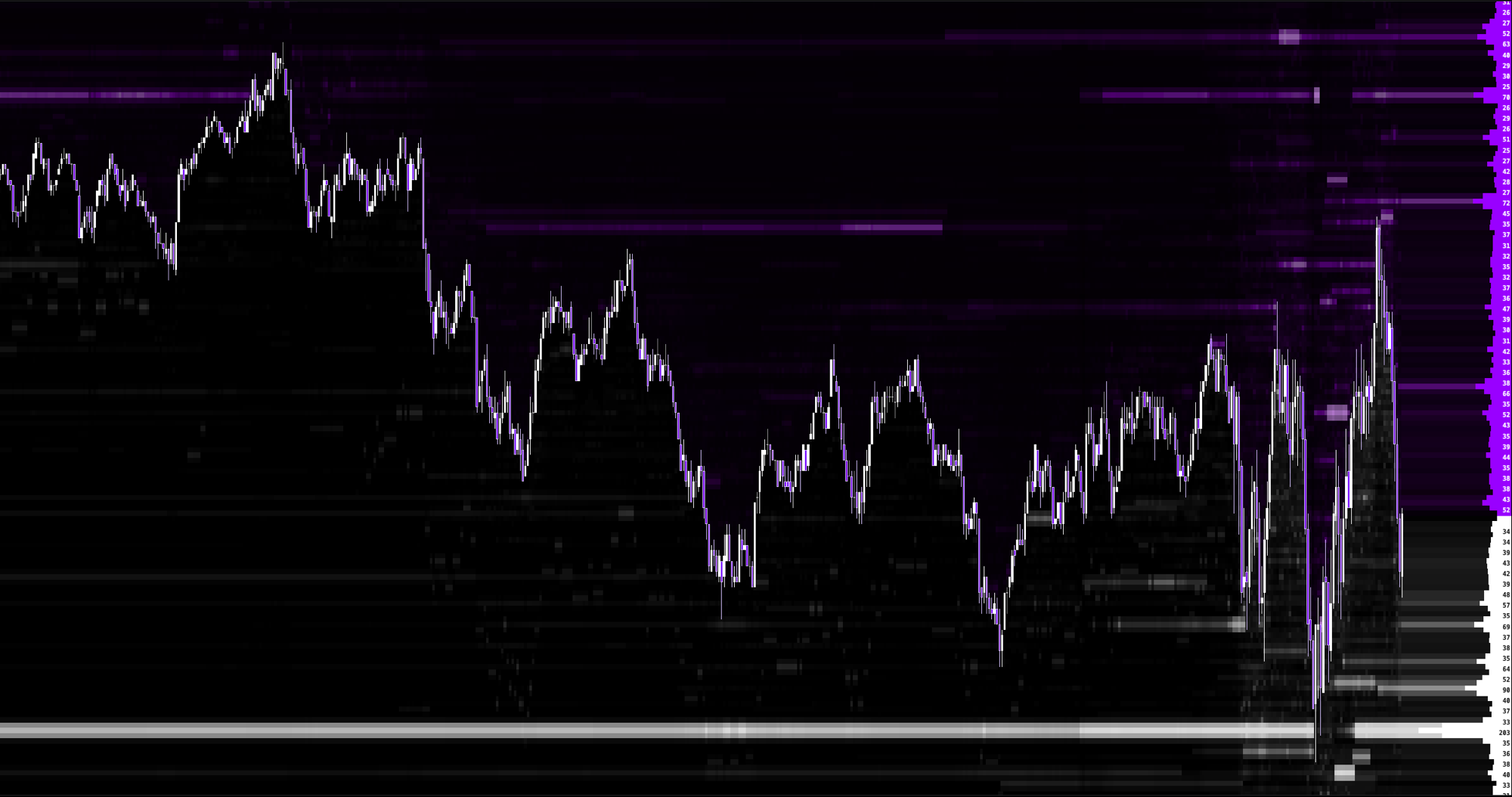
Drawing on the chart
A script never draws directly. Each plot call records what you want, and the chart renderer paints it in the correct place with the correct projection, so drawings stay on their candle as you pan and zoom. Colours are always an explicit "#RRGGBB" or "#RRGGBBAA" string.
| Call | Where it draws |
|---|---|
| plot.line | A line over price, on the main chart |
| plot.band | A filled cloud between two price series, on the main chart |
| plot.zone | A filled rectangle over price, behind the candles |
| plot.box | An outlined rectangle over price, with an optional label |
| plot.hline | A horizontal level across the whole chart, with an optional label |
| plot.vline | A vertical line through one bar |
| plot.segment | A straight line between two points on the price chart |
| plot.marker | A small shape pinned to a price on one bar |
| plot.dot | A plain dot pinned to a price on one bar |
| plot.text | A text block pinned to a price on one bar |
| plot.candle_color | The candle itself, recoloured |
| plot.label | A line in the readout at the top left of the chart |
| profile.fold | A volume profile folded from the footprint ladder, in the chart look or your own |
| profile.row_color | One row of the newest folded profile, recoloured |
| plot.rect | A filled rectangle, optionally with a border and a gradient |
| plot.polygon | A filled shape of 3 to 10 points |
| plot.cell | Price rows of the current candle, filled like a footprint cell, with optional text |
| plot.hbar | A histogram row growing from the price axis edge |
| plot.table | A cell of a table in a chart corner |
| plot.position | A trade drawn from entry to stop and target |
| plot.histogram | A histogram in the sub panel below the chart |
| plot.panel_line | A line in the sub panel |
| plot.panel_area | A filled area in the sub panel |
| plot.panel_hline | A reference level across the sub panel |
| plot.panel_segment | A straight line between two points in the sub panel |
| plot.panel_range | A fixed vertical scale for the sub panel |
Any of the panel calls opens the sub panel below the chart. Everything else draws on the main chart. A script may do both. Price chart calls expect prices; put an oscillator, a ratio, a count or a delta in the sub panel, not on the price axis.
plot.line
plot.line(value: float, color: color [, width: float, style: string]) -> void- Defaults: width 2, style "solid". Styles are "solid", "dashed" and "dotted". Width is held between 1 and 5.
- A nan value leaves a gap at that bar.
- The colour may change from bar to bar: pass a color var and the line changes colour on the bar where it changes, as one continuous stroke. Width and style are taken from the first bar on which that call site runs.
let average: float = ta.ema(close, 20)
var trend_color: color = "#22C55E"
trend_color := "#22C55E"
if close < average {
  trend_color := "#EF4444"
}
plot.line(average, trend_color, 2, "solid")
plot.band
plot.band(upper: float, lower: float, up_color: color, down_color: color) -> voidExactly four arguments. Each call site is its own cloud, filled at a soft opacity so price stays readable. A nan bound leaves a gap.
let basis: float = ta.sma(close, 20)
let sigma: float = ta.stdev(close, 20)
plot.band(basis + sigma * 2, basis - sigma * 2, "#22C55E", "#EF4444")
plot.zone
plot.zone(high: float, low: float, color: color [, opacity: float]) -> void

plot.zone(when: bool, high: float, low: float, color: color, opacity: float, start_offset: int, bars_right: int [, fill_mode: string]) -> void- Only 3, 4, 7 or 8 arguments are accepted. Opacity defaults to 0.14 and is held between 0 and 1.
- The short form is a running rectangle. Consecutive bars with the same finite high and low collapse into one box, and a change or a gap closes it.
- The long form creates a separate box every time when is true, so boxes from one call site can overlap. start_offset is a whole number from -200000 through 0 and moves the left edge back, which is how a pattern detected on the third bar starts on the first. bars_right is a whole number from 0 through 200000, measured from that left edge.
- fill_mode defaults to "none". "bullish" ends the box on the first later bar that trades through the low, "bearish" on the first later bar that trades through the high, and a wick counts. "bullish_close" and "bearish_close" end it only when a later bar closes beyond the boundary.
- A box that has not been filled may extend past the last candle, so a projection to the right is drawn as asked.
- A zone whose high equals its low is drawn as a one pixel line across its bars, which is how a single price level is marked for a stretch of bars.
let gap_up: bool = bar_index >= 2 && low > high[2]
plot.zone(gap_up, low, high[2], "#22C55E", 0.14, -1, 30, "bullish")
plot.box
plot.box(when: bool, high: float, low: float, color: color [, opacity: float, start_offset: int, bars_right: int, border_width: float, border_style: string, label: string]) -> void- An outlined rectangle. Where plot.zone is a filled area, this is a border, so it marks a level without hiding the candles inside it.
- Defaults: opacity 1, start_offset 0, bars_right 0, border width 1 (held between 1 and 5), style "solid", no label.
- start_offset is a whole number from -200000 through 0 and moves the left edge back. bars_right is a whole number from 0 through 200000, measured from that left edge. Both edges are inclusive, the same convention plot.zone uses, so a box and a zone drawn for the same rectangle land on the same pixels.
- A zero height box is the way to draw one horizontal segment across a bar range rather than the whole chart.
let inside: bool = bar_index >= 1 && high < high[1] && low > low[1]
plot.box(inside, high[1], low[1], "#6B7280", 1, -1, 12, 1, "dashed", "Inside")
plot.hline
plot.hline(price: float, color: color [, width: float, style: string, label: string]) -> voidDefaults: width 1, style "solid", no label. One level per call site, and the last finite price that call site produced is the level that is drawn. That is how a level held in a var becomes a single line rather than one line per bar. The optional label travels with the level.
var session_high: float = nan
session_high := math.max(nz(session_high[1], high), high)
plot.hline(session_high, "#22C55E", 1, "dashed", "Session high")
plot.vline
plot.vline(when: bool, color: color [, width: float, style: string]) -> voidA vertical line through the current bar, top to bottom of the chart, on every bar where when is true. Defaults: width 1, held between 1 and 5, style "solid".
let opened: bool = session.in("0930-1600", "America/New_York")
let first_cash_bar: bool = opened && !(bar_index > 0 && opened[1])
plot.vline(first_cash_bar, "#6B7280", 1, "dotted")
plot.segment
plot.segment(when: bool, bar_a: int, value_a: float, bar_b: int, value_b: float, color: color [, width: float, style: string]) -> void- A straight line from (bar_a, value_a) to (bar_b, value_b) on the price chart, drawn on every bar where when is true. This is how a trendline, a swing to swing connector or a divergence line is drawn.
- bar_a and bar_b are bar_index values, not offsets. Keep the bar_index of a pivot in a var when you find it and pass it here later, and the line is drawn back to where it belongs.
- They must be whole numbers from 0 through the current bar_index plus 200000. An end past the newest bar is cut at the newest bar with its slope kept, so a projection shows its direction.
- A nan in any of the four coordinates draws nothing on that bar. Defaults: width 2, held between 1 and 5, style "solid".
- The colour may differ from one segment to the next. Segments of one call site and one colour that overlap in time are kept up to eight deep, the newest winning.
var pivot_bar: float = nan
var pivot_price: float = nan
pivot_bar := nz(pivot_bar[1], nan)
pivot_price := nz(pivot_price[1], nan)
let new_high: bool = bar_index >= 20 && high >= ta.highest(high, 20)
plot.segment(new_high && !is_nan(pivot_bar), pivot_bar, pivot_price, bar_index, high, "#F59E0B", 2, "solid")
if new_high {
  pivot_bar := bar_index
  pivot_price := high
}
plot.marker
plot.marker(when: bool, price: float, color: color [, shape: string, anchor: string, size: float, offset_pixels: float]) -> void- Defaults: shape "diamond", anchor "above", size 10, offset 2.
- Shapes are "x", "circle", "triangle", "square" and "diamond". Anchors are "above" and "below".
- Size is held between 3 and 24 pixels, the offset between 0 and 20 pixels.
- Nothing is drawn when when is false or the price is nan.
- A new marker is one of the two things an alert fires on.
let signal: bool = ta.crossover(close, ta.sma(close, 20))
plot.marker(signal, high, "#22C55E", "triangle", "above", 9, 3)
plot.dot
plot.dot(when: bool, price: float, color: color [, size: float]) -> voidA plain filled dot at a price on one bar. Size defaults to 4 and is held between 1 and 20. Use it where a marker shape would be too loud, and pair it with math.scale when the size should follow the size of a trade.
let biggest: float = tape.largest_size()
let radius: float = math.scale(nz(biggest, 0), 25, 400, 4, 18)
plot.dot(nz(biggest, 0) >= 75, nz(tape.largest_price(), close), "#F59E0B", radius)
plot.text
plot.text(when: bool, price: float, text: string, color: color [, anchor: string, font_size: float, offset_pixels: float, min_bar_slot_pixels: float]) -> void- Defaults: anchor "above", font size 9, offset 4, minimum bar slot 5.
- Plain centred text with no shape, plate or background. Use \n for up to 8 stacked lines, up to 1,024 characters.
- Font size is held between 6 and 24, the offset between 0 and 40, the slot threshold between 0 and 200.
- The block hides itself when one candle is narrower on screen than min_bar_slot_pixels, so zooming out never produces a wall of text. Raise it for wide blocks.
- An empty string draws nothing. The text must be a string; format numbers first.
let body: string = str.concat("VOL ", format.compact(tape.volume()))
plot.text(tape.available(), high, body, "#22C55E", "above", 9, 4, 60)
plot.candle_color
plot.candle_color(when: bool, color: color [, opacity: float]) -> voidRecolours the candle itself on the bars where when is true. One colour per bar: if two call sites claim the same candle the last one executed wins. Opacity is held between 0 and 1 and defaults to a solid fill.
let squeeze: bool = high - low < ta.sma(high - low, 20) * 0.5
plot.candle_color(squeeze, "#F59E0B", 0.7)
plot.position
plot.position(when: bool, side: string, entry: float, stop: float, target: float [, bars: int]) -> void- Draws a trade the way the chart draws its position tool: a red box from entry to stop, a green box from entry to target, both starting at the close of the signal bar.
- side is "BUY" or "SELL". A buy needs stop below entry below target, a sell the reverse; anything else draws nothing.
- The boxes end on the first later bar whose wick reaches the stop or the target, or after bars bars, from 1 to 500, default 100. A bar that touches both ends the drawing without claiming which came first.
- It is a drawing, not a backtest.
let long_signal: bool = ta.crossover(close, ta.ema(close, 20))
plot.position(long_signal, "BUY", close, low, close + 2 * (close - low), 100)
plot.label
plot.label(text: string, color: color) -> voidWrites one line into the readout at the top left of the chart. This is the information panel. One line per call site, carrying its newest value, so a call site that runs on every bar leaves one line stating what is true now rather than ten thousand lines. Several call sites give several lines, in the order they first ran. An empty string draws nothing.
plot.label(str.concat("VOL ", format.compact(tape.volume())), "#E5E7EB")
plot.label(str.concat("DELTA ", format.compact(tape.delta())), "#22C55E")
profile.fold
profile.fold(when: bool, bars_back: int [, value_area_percent: float, color: color, opacity: float, position: string, width_percent: float, coloring: string, poc_color: color, va_color: color, outside_va_color: color]) -> void
profile.row_color(price: float, color: color) -> void- Adds the footprint ladders of the last bars_back bars, ending on this bar, into one volume profile and draws it the way every other profile on the chart is drawn. This is a custom volume profile over any range you can describe.
- bars_back is a whole number from 1 through 200000. value_area_percent defaults to 70, must be finite, and is held between 0 and 100.
- With no color and no opacity the profile wears your own Session Profile appearance, key for key. The script says what to fold; the chart says what a profile looks like.
- color paints the volume histogram and opacity, 0 through 1, is the profile master opacity. The bull and bear pair is not touched, so a delta column keeps the palette the rest of the chart uses. Fold twice with two colors to draw two profiles two ways.
- The point of control and the value area agree with the chart's own Session Profile over the same bars.
- A range where no bar carried a ladder produces no profile rather than an empty one.
- At most 512 profiles and 200,000 profile rows per run. Fold on a condition, at the end of a session or every N bars, rather than on every bar.
- The rest of the look is optional too, and "auto" for a colour, position or coloring, or nan for opacity or width_percent, keeps the chart look for that one argument. position is "left", "right" or "center" within the folded bars. width_percent, above 0 and at most 100, is how much of that span the profile takes. coloring "single" paints one volume column in color and "delta" paints each row by the sign of its own delta. poc_color, va_color and outside_va_color paint the point of control, the value area rows and the rows outside it.
- profile.row_color recolours the row holding price in the newest profile folded so far, and wins over the chart marks on that row. At most 5,000 recoloured rows per run.
let session_bars: int = input.int(60, "sessionBars", "Bars in the profile", 2, 2000, 1)
let anchor: bool = bar_index % session_bars == session_bars - 1
profile.fold(anchor, session_bars, 70)
profile.fold(last_bar, session_bars, 70, "auto", nan, "right", 30, "delta", "#FFFFFF", "#3B82F6", "auto")
if last_bar {
  profile.row_color(close, "#F59E0B")
}
Custom graphics
plot.rect, plot.polygon and plot.cell draw filled shapes on the price chart, painted by the chart itself so they stay on their bars as you pan and zoom. plot.hbar and plot.table draw on the chart frame instead: the price axis edge and a corner.
Horizontal positions in plot.rect and plot.polygon are bar offsets from the centre of the current candle, fractions allowed: 0 is the centre, -0.5 and 0.5 are the edges of its slot, -10 is ten bars back and 20 is twenty bars into the future. They run from -200,000 to 500. Vertical positions are prices. A nan anywhere draws nothing on that bar.
plot.rect(x1: float, x2: float, top: float, bottom: float, fill: color [, border_color: color, border_width: float, gradient_color: color, gradient_direction: string]) -> void
plot.polygon(fill: color, x1: float, y1: float, x2: float, y2: float, x3: float, y3: float [, ... x10: float, y10: float]) -> void
plot.cell(low: float, high: float, fill: color [, text: string, text_color: color]) -> void
plot.hbar(low: float, high: float, value: float, max_value: float, fill: color [, side: string, width_pixels: float]) -> void
plot.table(row: int, column: int, text: string [, text_color: color, background: color, position: string]) -> void- plot.rect: a rectangle with no width or no height draws nothing. border_width is held between 0 and 5 pixels. gradient_direction is "vertical", fill at the top fading to gradient_color at the bottom, the default, or "horizontal", left to right. Use the opacity pair of a "#RRGGBBAA" colour for glows and fades.
- plot.polygon: 3 to 10 points, listed in order around the shape, so 7, 9, 11 and so on up to 21 arguments. Concave shapes are fine; edges that cross stop the script with one line.
- plot.cell: fills the body column of the current candle between two price rows, both included, so plot.cell(p, p, ...) is exactly the footprint row that holds p. The text is drawn centred when the cell is tall enough to hold it.
- plot.hbar: one row of a histogram, the rows of price from low to high, value divided by max_value of width_pixels long, growing from the "right" edge, the default, or the "left" one. width_pixels is held between 10 and 600 and defaults to 120. A value of 0 or less draws nothing.
- plot.table: one cell of a grid, row 0 to 19 and column 0 to 7, in the "top_right" corner, the default, or "top_left", "bottom_right" or "bottom_left". background paints the cell.
- plot.hbar and plot.table keep only what their call site drew on the LAST bar that ran it: each new bar that runs the call replaces the earlier set. So an unconditional plot.hbar in a loop over the ladder draws the newest bar's ladder, and a plot.table call states the newest values. Inside an if, a call that stops running keeps its last set on screen; pick colours and text with ? : instead of putting these calls in branches.
- Budgets per run: 240,000 shape points, a rectangle costing 6 and a bordered one 30, the newest kept; 5,000 histogram rows; 640 table cells; 5,000 cell texts, the newest kept. Reaching one says so in the settings under the editor; nothing is cut silently.
let top_volume: float = cell.max_volume()
let top_delta: float = math.max(nz(cell.max_delta(), 0), 1)
for i = 0 to cell.count() - 1 by 1 {
  let p: float = cell.price(i)
  let shade: color = color.from_gradient(cell.delta(i), -top_delta, top_delta, "#EF4444", "#22C55E")
  plot.hbar(p, p, cell.volume(i), top_volume, shade, "right", 160)
}
plot.table(0, 0, "Delta", "#9CA3AF")
plot.table(0, 1, format.compact(tape.delta()), tape.delta() >= 0 ? "#22C55E" : "#EF4444")let unit: float = nz(ta.atr(14), high - low)
let prior_high: float = ta.highest(high, 20)
let breakout: bool = bar_index > 20 && close > prior_high[1]
if breakout {
plot.rect(-0.5, 15, high, low, "#3B82F655", "#3B82F6", 1, "#3B82F600", "horizontal")
plot.polygon("#22C55E", 0, low - unit * 0.2, 0.4, low - unit * 0.8, -0.4, low - unit * 0.8)
}plot.histogram
plot.histogram(value: float, up_color: color, down_color: color) -> voidExactly three arguments. There is one histogram per script, so write one call site. A nan value leaves that bar empty. Bars at or above zero take the up colour, bars below take the down colour.
plot.histogram(ta.ema(tape.delta(), 10), "#22C55E", "#EF4444")The rest of the sub panel
plot.panel_line(value: float, color: color [, width: float, style: string]) -> void
plot.panel_area(value: float, color: color [, opacity: float]) -> void
plot.panel_hline(value: float, color: color [, style: string, label: string]) -> void
plot.panel_segment(when: bool, bar_a: int, value_a: float, bar_b: int, value_b: float, color: color [, width: float, style: string]) -> void
plot.panel_range(min: float, max: float) -> void- plot.panel_line is plot.line inside the panel: one series per call site, width held between 1 and 5, a nan value leaving a gap.
- plot.panel_area fills from the panel baseline to the value. Opacity defaults to 0.2.
- plot.panel_hline is a reference level across the panel, one per call site, carrying its newest finite value, with an optional label.
- plot.panel_segment is plot.segment inside the panel, with the same rules.
- plot.panel_range fixes the vertical scale instead of letting the panel fit its data. The last pair executed wins, so state it once with literals when the reading has a fixed scale such as 0 to 100.
let raw: float = tape.delta() / tape.volume() * 100
let smooth: float = ta.ema(nz(raw, 0), 14)
let signal: float = ta.ema(smooth, 9)
plot.panel_range(-100, 100)
plot.panel_area(smooth, "#6B7280", 0.18)
plot.panel_line(smooth, "#22C55E", 2, "solid")
plot.panel_line(signal, "#EF4444", 1, "dashed")
plot.panel_hline(0, "#6B7280", "dotted", "Flat")
Conditional drawing
A plot call writes only on the bars where it actually runs, so an if branch is how you create gaps and discrete markers. For a single line that changes colour, use one call site with a colour picked by ? :, or a color var as shown under plot.line; two call sites in two branches give two separate lines with gaps between them. plot.hbar and plot.table are the exception to reach for branches: they keep their last set when the branch stops running.
let average: float = ta.sma(close, 20)
if close >= average {
  plot.line(average, "#22C55E", 2, "solid")
}